
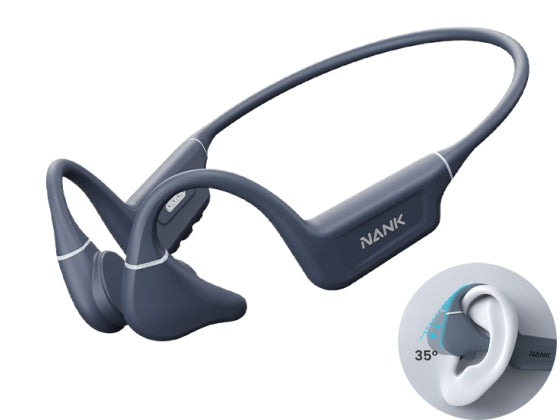
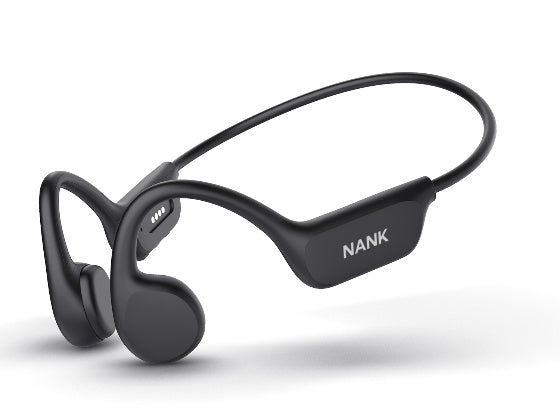
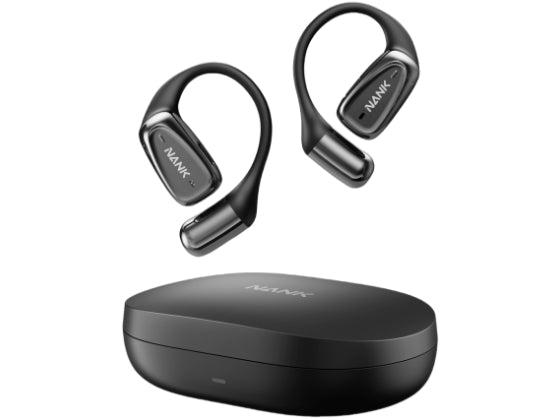
I put them on and they stay on through all the movements I make, the sound is good enough to hear my timer, and music.
The device failed my expectation. I give 2 stars for responsiveness of the support team.
Cart
Your cart is empty
Note: Since the FAQs have include questions of all products, you can quickly find the corresponding content of your model by searching its name through ‘Ctrl+F’ on Windows or ‘Command+F’ on Mac.
A: Use the magnetic charging cable included in the accessories to connect the headphones to your computer. You will see the headphone's memory automatically pop up on your computer. Simply transfer the audio files from your computer to the headphone's memory.
A: You can order the charging cable from Nank official website. Please note that the charging cables for the Runner Diver series have four magnetic points arranged in a row. You can compare this with the charging interface on your headphones to choose the correct one.
A: Regarding downloading songs, please connect the original charging cable to the computer and the headset. The computer will show a pop-up window and read the USB stick, then you can copy the songs from the computer to the USB stick to complete the song download (please make sure the files are in MP3/M4A/WAV/APE/FLAC format).
A: The main differences are that the Runner Diver2 Pro has a higher waterproof rating, a more advanced Bluetooth version, and superior audio technology. It also features an innovative noise reduction mode by adding up a foldable piece, which improves the user experience in noisy environments, addressing a common issue with bone conduction headphones.
A: The headphones remember where the stop was after being turned off or switched mode.
A: Bluetooth mode can be used for audiobooks, MP3 mode only supports downloaded audio files in the format of AV,FLAC,APE,MP3,WMA.
A: Yes, our Runner Diver2 Pro has an IP69 waterproof rating, making it suitable for prolonged use in seawater and deep diving.
A: No, the headphones are fully compatible with most swim caps and goggles.
A: The headphones can continue to work for 10 hours at 60% volume to meet the needs of a full day of listening.
A: Yes, our headphones support both shuffle and sequential play in TF mode. Simply press the power button four times in a row while in TF mode to switch modes.
A: The highest bitrate supported by Runner Diver is 192Kbps.
A: It is actually IP68 rated, which means it is waterproof to 8 and also has a dustproof rating.
A: The device uses CVC6.0 noise reduction technology to identify human voice and noise to improve speech clarity.
A: Yes, you can, but please rinse the headphones with fresh water afterward.
A: You can follow the tutorial in this blog to download the music: Full Guide: How to Download Spotify Music for Offline Listening?
A: The Runner Diver2 has a waterproof rating of IP68 and can be used up to 3 meters deep. The Runner Diver2 Pro has a waterproof rating of IP69 and can be used up to 10 meters deep.
A: Yes, the headphones need to be connected to a computer in order to download songs.
A:IPX8 waterproof, you can wear it while bathing and swimming: [Use TF mode underwater]
A: With a built-in 32g memory, you can store 3200+ songs for offline listening [support formats: WAN, FLAC, APE, MP3, WMA].
A: You can order the charging cable from our official website. Please note that the new Runner Pro2 series has four magnetic points arranged in a row, while the old Runner Pro2 series has four magnetic points arranged in a square. You can compare this with the charging interface on your headphones to choose the correct one, or seek assistance from customer service.
A: The main differences are that the Runner Pro2 has removed the microphone function but has upgraded waterproof performance and audio technology, increased memory capacity, and reduced the overall weight.
A: Brand-new bone conduction technology, using 16mm large large speaker drive, the sound quality is shocking and layered, and the penetrating power is stronger
A: Runner Pro use the exclusive OT sound leakage reduction 2.0 technology, it can effectively reduce 90% sound leakage, reduce the vibration of bone conduction sound, and improve the sound quality.
A: Using Bluetooth 5.0 chip, connection is stable within 10m (without obstructions)
A: No, to achieve better waterproof performance and higher cost-effectiveness, this model does not include a microphone. If you would like one with mic, check the Runner Diver series.
A: Use the magnetic charger included with the headphones.
A: Bluetooth headsets do not limit mobile phones. Any device with Bluetooth can be connected. You can use it directly after connecting.
A: Bone conduction speaker.
A: A2DP, AVRCP, HSP, HFP
A: 230mA, can be used for about 8 hours when fully charged, 240 hours standby time.
A: Play, pause, answer, hang up-stand - alone power button;
Voice assistant - long press the power button for one second to switch;
Press + to increase the volume and press - to decrease the volume;
Long press - for the previous song and long press + for the next song;
Press 1-3 seconds to turn on and press 5-7 seconds to turn off;
Double click the power button to switch MP3 mode/Bluetooth mode.
A: The headset system itself also needs to take up a little memory, so it is normal.
A: Before the headphones leaves the factory, the technical department will check whether the memory mode is all good, so it will store one or two songs into it, you can delete them if you want.
A: ATS2819S chip.
A: The red light flashes during the charging process, and the blue light is always on when it is full [charging time 90 minutes].
A: Connect the original charging data cable to the computer and the earphone respectively. You can read the U disk, copy the songs from the computer to the U disk, and complete the song download [The default mode is the last use mode after rebooting] .
A: Long press for 1-3 seconds to turn on, the indicator light flashes red and blue, and the headset enters the pairing state. Turn on the Bluetooth and search for NANK-RUNNER PRO on the phone, and click connect.
A: Headphone*1, Charging Cable*1, User Manual*1, Anti-noise Earplugs*1.
A: You can follow the tutorial in this blog to download the music: Full Guide: How to Download Spotify Music for Offline Listening?
A: The waterproof rating is IP66, which protects against sweat, rain, and everyday splashes, but they are not suitable for swimming. If you are looking for swimming headphones, check the Runner Pro series and Runner Diver series.
A: Yes, these headphones feature dual-microphone noise-canceling technology, providing a high-quality call experience.
A: No, the Runner Neo only has Bluetooth mode.
A:We adopt a brand new upgrade Bluetooth 5.2, Qualcomm 3040 chip + ceramic antenna, three layers of strengthened connection, longer connection distance, more stable signal, ceramic antenna anti-oxidation and durable.
A: Turn on the game mode, the delay can be reduced to 0.2S, if the phone supports aptx decoding. The delay will be lower. Of course, this has a lot to do with the Bluetooth performance of the phone itself. If the mobile phone configuration is possible, the delay will generally not affect the gaming experience.
A: The headset is a dual host, regardless of main and auxiliary, single and dual ears can be switched at will
A: We have binaural and dual microphone noise reduction, with ENC call noise reduction technology to improve the quality of the call, the voice can be transmitted clearly in noisy environments, [Front microphone: identify human voice, rear microphone: identify environmental noise, filter noise].
Semi-in-ear only has noise reduction for calls, but no noise reduction for listening to songs. In-ear earphones are required to reduce noise for listening to songs, and closed headphones can do it.
A: It adopts three-point support, it is stable to wear, avoiding lost when running.
A: It connects when the cover is opened, and the Hall switch design is designed to automatically connect to the mobile phone as long as the cover is opened. There is no need to take it out, let alone turn it on manually.
A: The headset with Qualcomm chip supports AAC and APTX decoding
A: Earphones themselves weigh 3.8g. In total 30g with the charging case.
A: The normal mode can be used for about 7 hours when fully charged, and the game mode can be used for about 6 hours when fully charged.
A: Earphone is 40 mA, charging case is 350 mA. When the charging case is full, it can charge the headset about 3-4 times
A: Lite pro: length 39mm, width 17mm. Charging case: height 57mm, width 25mm
A: When you put the earphone into the charging box and close it, the white light of the charging compartment will be on, it will be fully charged in about 60 minutes, and it will go out when fully charged.
Charging in the charging compartment: 0-30% battery power flashes red, 31-60% battery power flashes blue, 61-100% battery power flashes green, and when the battery is full, the green light is always on
A: Enter the game mode, the Bluetooth connection is not in a call/listen to music/game status, tap the right ear three times, the voice prompt "Gogo", the game, the mode is successfully turned on. , Note: Three conditions need to be met to enter the game mode, 1. When paired with two ears, 2. Bluetooth is connected to the mobile phone 3. When the call/listen to music/game/video is not in use, please pause and wait for 5 seconds if you are using it Operate left and right. Exit the game mode, the Bluetooth connection is not in a call/listen to music/game status, tap the right ear three times, the voice prompt "Roger that", the game mode is closed.
A: Step 1: Take out the headset A and connect it to the phone A. Step 2: Keep the B earphone away from the connected A earphone, and then connect to the B mobile phone. Note: Different mobile phones can be connected separately. If the two earphones are close, the pairing of the two ears will be given priority, and sufficient separation distance or signal blocking is required.
A: Pause/Play - double click any headset;
Answering/hanging up - double click any headset;
Voice assistant - tap the left ear three times;
Game mode entry/exit - Click the right ear three times;
Volume up- click on the right ear and volume down - click on the left ear;
Next song - long press the right ear for 1 second; previous song - long press the left ear for one second.
Answer: Step 1: Take the headset out of the charging compartment and press and hold to turn it off. After pressing for 1-3 seconds to turn on the headset, tap it 3 times quickly. After 3 times, press and hold it for about 7 seconds. The headset indicator light will flash quickly.
Step 2: Then put the earphones together, it will enter the pairing mode, after pairing, one will flash slowly and the other will go out
Step 3: Turn on the mobile phone Bluetooth to search for the link Lite pro Bluetooth
A: 32 OHM±15.
A: Using Type-c interface, charging is more efficient.
A: Bluetooth headsets do not limit mobile phones. Any phone with Bluetooth can be connected. You can use it directly after pairing.
A: HFP, HSP, AVRCP, A2DP.
A: 20-20KHz.
A: 97dB.
A: The Lite pro is IPX5 waterproof, it is okay with sweat and drizzle, but it does not support soaking in water. If you are looking for swimming headphones, check our bone conduction series.
A: First check whether the charging compartment has electricity. If the charging compartment is empty, put the earphones in which cannot be charged. If the charging compartment has electricity, wipe the pinholes in the charging compartment with a cotton swab, and then put the earphones back in. For further help, please contact the customer service.
A: Check whether the charging compartment is low or dead. When the charging compartment is empty or low, the headset cannot be automatically disconnected when it is placed in the charging compartment.
A: We have binaural and dual microphone noise reduction, with ENC call noise reduction technology to improve the quality of the call, the voice can be transmitted clearly in noisy environments, [Front microphone: identify human voice, rear microphone: identify environmental noise, filter noise]. . Semi-in-ear only has noise reduction for calls, but no noise reduction for listening to songs. In-ear earphones are required to reduce noise for listening to songs, and closed headphones can do it.
A: Qualcomm QCC3020.
A: Both ears are the host, regardless of the main and auxiliary, you can switch to use at will
A: The headset uses a Bluetooth 5.0 chip, and the delay control has been at the forefront. In addition, the delay of playing games will be related to factors such as mobile phone configuration. Apple 8p and above basically do not feel the delay
A: Bluetooth headsets do not limit mobile phones. Any phone with Bluetooth can be connected. You can use it directly after connecting.
A: The Lite pro is IPX5 waterproof, it is okay with sweat and drizzle, but it does not support soaking in water. If you are looking for swimming headphones, check our bone conduction series.
A: It connects when the cover is opened, and the Hall switch design is designed to automatically connect to the mobile phone as long as the cover is opened. There is no need to take it out, let alone turn it on manually.
A:APTX, AAC.
A: 13mm liquid crystal polymer composite diaphragm.
A: Dynamic.
A: Effective distance connection within 15 meters [no partition, no obstacles]
A: It adopts three-point support, it is stable to wear, avoiding lost during running.
Ar: The headset can be used for about 4.5-5 hours when fully charged, and the headset can be charged for about 3 times when the charging compartment is fully charged.
A: The headset is a master-slave switch setting. If you want to connect two mobile phones at the same time, you need to separate the two headsets far enough or a wall. You can connect them separately first.
A: Earphone 40 mA, charging compartment 400 mA.
A: Earphone; 1.8cm*1.5cm*4cm, charging compartment; 5.7cm*2.0cm*6.8cm.
A: The earphone is charged; the earphone will be automatically turned off and charged after being placed in the charging compartment. When charging, the indicator light of the earphone corresponding to the charging compartment is always on, (the first indicator light below corresponds to the left ear, and the first one above corresponds to the right ear). Charging in the charging compartment; the indicator light flashes when fully charged and always on, the headset is fully charged in about 70 minutes, and the charging compartment is fully charged in about 150 minutes
A: Answer/hang up play/pause double click any headset;
Volume down - click on the left ear; Volume up - click on the right ear;
Previous song - long press left ear; Next song - long press right ear;
Long press to reject the call;
Three click in a row - mobile voice assistant.
A:1: Open the charging compartment (or manually press and hold for 3 seconds). After the pairing is successful, 1 earphone flashes, and 1 earphone lights off.
2; Open the Bluetooth interface of the mobile phone and search for the Bluetooth name "NANK-LITE" and click to connect, and the Bluetooth display is connected.
3; After waiting for 3 seconds, the pairing request interface pops up on the Bluetooth interface of the mobile phone: "NANK-LITE wants to pair with your mobile phone". Click "Pair" to complete. (Normally, there will be 2 "NANK-LITE" in the Bluetooth interface, 1 showing connected, and 1 showing not connected.)
4; Then you can complete the single and double switching. If there is only one Bluetooth, it can be connected and used normally, but it cannot be switched.
A: 1: Cancel all lite information in the phone, turn off the Bluetooth of the phone;
2: Long press at the same time for about 3-5 seconds and then let go;
3: Press for 10 seconds when rebooting (don’t care about the middle process, after the end, the binaural light flashes quickly, and finally it turns into a headphone flashing light and a headphone does not flash). The phone can search for the Bluetooth name again to connect;
4: Turn on the phone's Bluetooth to search for lite connection.
A: Earphone 4g, charging case 36g, and in total 42g.
A: First check whether the charging compartment has electricity. If the charging compartment is empty, put the earphones in which cannot be charged. If the charging compartment has electricity, wipe the pinholes in the charging compartment with a cotton swab, and then put the earphones back in. For further help, reach out to our customer service.
A: Check whether the charging compartment is low or dead. When the charging compartment is empty or low, the headset cannot be automatically disconnected when it is placed in the charging compartment.
A: The mic is not detachable: This headset is designed for hearing impaired or need long calls / video conferencing, driving people. The core demand is lightweight, health and clear call quality. So the headset as an important accessory, in order not to affect its function, we did not make it detachable. If you need to use the headset in more sports or outdoor activities, we have the Runner Pro and Runner Diver bone conduction headset specifically designed for sports available.
A: Using Bluetooth 5.3 chip, more powerful performance and stable connection signal.
A: Runner Caller uses HDC microphone technology upgraded to professional language communication, OT closure anti-leakage sound to reduce 90% of the leakage, ENC dual-microphone call noise reduction effectively chase the human voice, filtering environmental noise, so that the call sound is very clear.
A: Runner Caller adopts integrated molding technology, IPX6 waterproof, which is sweat-proof, rain-proof and splash-proof, suitable for different people's various needs.
A: Built-in 200mAh battery, fully charged can last for 9 hours of talk or 6 hours of music playback, standby 12 days.
A: The headphones weigh only 35 grams, open design always keep the ear canal dry and hygienic, lightweight and stable, even with glasses at the same time for a long time to wear will not feel pressure.
Promotions, new products and sales. Directly to your inbox.